

Country
1. Geo Structure
1.2 Countries
Adding all countries to ERP system is an important advantage, So Ozosoft ERP take you this advantage.
User can add/delete and edit country from this screen as shown in figure 1.
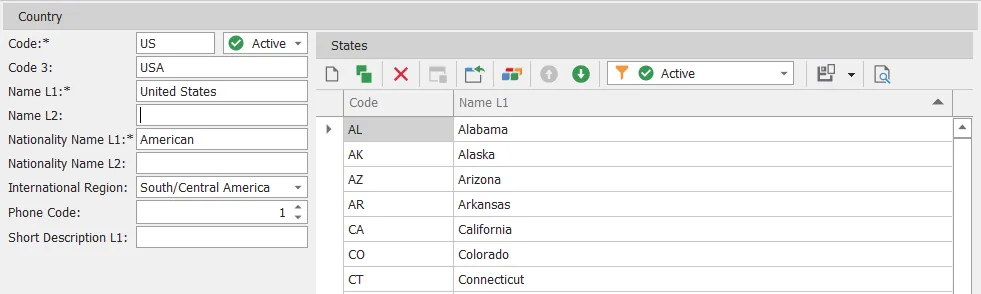
figure 1
| # | Field | Description |
|---|---|---|
| 1 | Code | Country code (e.g., us), shouldn’t be empty and should be unique |
| 2 | Code 3 | Country code 3 (e.g., usa) |
| 3 | Name L1 | Country name language 1, shouldn’t be empty and should be unique |
| 4 | Name L2 | Country name language 2 |
| 5 | Nationality Name L1 | Nationality name language 1, shouldn’t be empty and should be unique |
| 6 | Nationality Name L2 | Nationality name language 2 |
| 7 | International Region | Country international region |
| 8 | Phone Code | Country phone code |
| 9 | Short Description L1 | Brief description language 1 |
| 10 | Is Active | Select if this country active or inactive |
from this screen you can add states to country also